
From idea to working prototype
By the end you have a working prototype and AI agent management skills — Cursor, Claude Code, and Codex in 12 hours of intensive practice.
Book a trainingIn 12 hours you'll build a working prototype and learn to manage AI agents — no coding experience needed.
MVP without a developer — Cursor, Claude Code, and Codex hands-on. In 12 hours, build a working prototype, master agentic development, and learn AI coding limits. For founders and managers.
By the end you have a working prototype and AI agent management skills — Cursor, Claude Code, and Codex in 12 hours of intensive practice.
Book a trainingThe agent writes hundreds of lines per minute — but without clear specs it goes off track. You get 500 lines of code you don't understand and can't fix. Hours spent on the 'prompt → error → new prompt' loop.
Tilda and Bubble are great for a landing page. But auth, databases, payments, APIs — all beyond no-code. Hiring a developer for MVP costs $2-5K and 2-4 weeks.
Tutorials show the ideal path that doesn't work for your project. You get stuck on deployment, auth, connecting frontend to backend — and there's nobody to ask.
Vibe-coding is an approach to software creation where a person describes the task in natural language and an AI assistant generates working code. The term was coined by Andrej Karpathy (former AI director at Tesla) in 2025. By 2026, vibe-coding tools — Cursor, Claude Code, Codex — allow non-programmers to build working web applications in hours instead of weeks.
However, without understanding basic architecture and prompt structuring skills (we cover prompting fundamentals in our AI Literacy training) AI coding quickly becomes an endless loop of errors. EdUnit's vibe-coding training provides structured practice: in 12 hours, participants build a working prototype of their idea with a trainer who helps navigate typical pitfalls.
In 2026, vibe-coding reached a new level: AI agents (Claude Code, Codex) don't just generate code snippets from prompts — they autonomously solve tasks: create files, install dependencies, run tests. The key skill shifted from "write the right prompt" to "manage the AI agent." This skill is exactly what half of our training is about.
Cursor is an AI-powered IDE based on VS Code that lets you build working web applications using natural language. In 2026, Cursor became the standard for vibe coding: built-in model chat, code autocomplete, and agent mode. But without structured training, beginners waste hours in the "prompt → error → new prompt" loop. In EdUnit's training, participants get productive in Cursor within the first 2 hours — from installation to a working landing page with a form and database. We integrate prompting skills so AI generates what you need on the first try.
Tilda and Bubble work for template landing pages, but authentication, payments, and API integrations are beyond no-code limits. Hiring a developer for an MVP costs $2-5K and takes 2-4 weeks. Vibe coding with Cursor and Claude Code bridges this gap: you describe the task, the AI agent generates working code, and you control the result. During training, participants build a working prototype of their idea — not a Figma mockup, but a deployed application accessible via URL.
In 2026, the key vibe coding skill shifted from "write the right prompt" to "manage the AI agent." Claude Code and Codex autonomously create files, install dependencies, and run tests — but without clear specs, they go off track. Agentic development means tasking AI agents, controlling their work, rolling back errors, and making architectural decisions that agents won't make for you. Half of our training is dedicated to this skill — participants work with Claude Code and Codex on real projects with trainer guidance.
Lots of ideas, no budget for developers. AI agent generates something, but it breaks on any change
Solution12 hours — and you build a working MVP yourself. Not replacing a developer; learning to prototype
Want to show an idea as a working prototype, not a slide deck — but can't code
SolutionYou won't become a programmer. You'll become someone who builds working prototypes
Every landing page, quiz, or calculator means waiting in the developer queue for a week. Tilda and Notion have hit their limits.
SolutionBuild landing pages and tools yourself in Cursor. Add Claude Code and Codex as your skills grow.
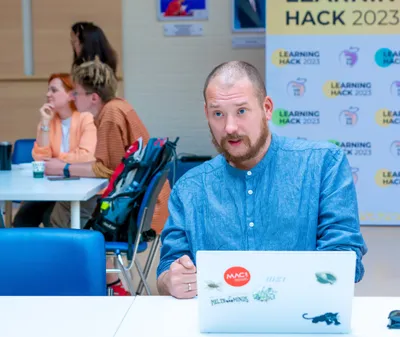
Trainer, CEO EdUnit
Founder and CEO of EdUnit. Practicing vibe-coder: built quantaquiz.com, edunit.org, and internal company tools using Cursor and Claude Code. HSE University graduate. Speaker at AI and EdTech conferences.
Install Cursor, set up accounts. Architecture overview: frontend, backend, database — what it is and why.
Build a working site with a form and database. Learn prompt structuring and debugging.
Tasking AI agents, reviewing results, integrating APIs. The agent writes code — you manage the process.
Participants work on their own idea. Trainer helps get it to a working state.
Two days of 6 hours each. Full immersion — from setup to deploying your own project.
Four 3-hour sessions. Homework with trainer review between sessions.
Prices are indicative. Final cost confirmed in contract.
From-scratch training with ChatGPT, Claude, and Perplexity. First result in 3 hours on your own tasks. For business, educators, and anyone getting started.
3-hour methodology workshop on business idea validation. 5 prototype types, Customer Development, pretotyping, AI tools overview, and real cases. Lean Canvas, MVP Canvas, Job Story templates. For accelerators, startups, and project tracks.
No dev team and off-the-shelf platforms don't fit? We design and build custom educational IT solutions for your needs: bots, platforms, AI tools.