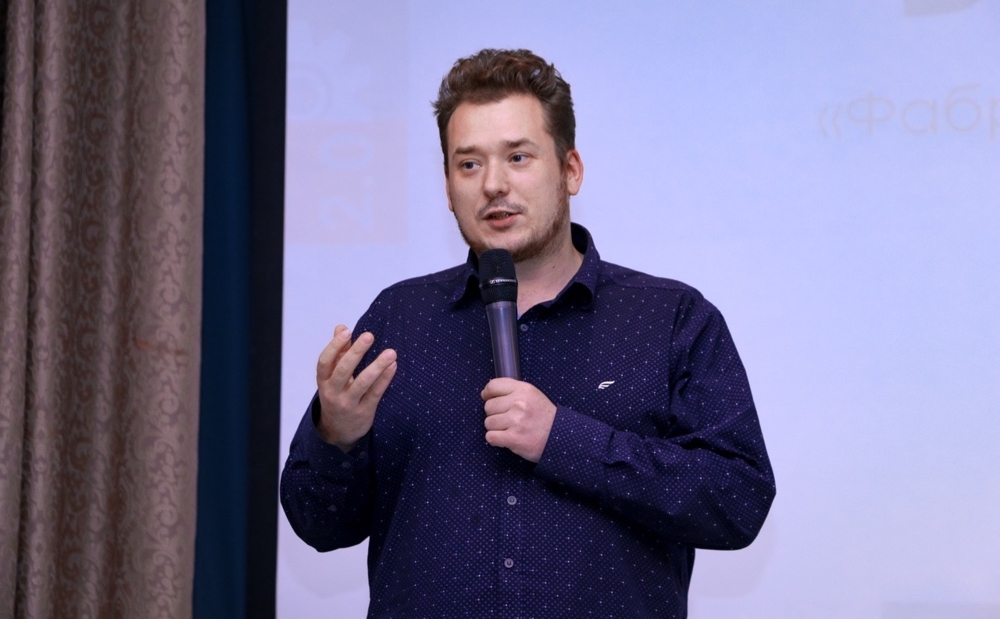
Practice on your own tasks — from minute one
Each participant works with ChatGPT, Claude, and Perplexity on their own real task. No abstract examples — just your work, your result.
Get the training programA from-scratch training — for those who have never used ChatGPT, and for those who tried but weren't impressed. In 3 hours you'll get your first result on your own task, learn which tool to use for what, and understand the rules of safe AI use.
From-scratch training with ChatGPT, Claude, and Perplexity. First result in 3 hours on your own tasks. For business, educators, and anyone getting started.
Each participant works with ChatGPT, Claude, and Perplexity on their own real task. No abstract examples — just your work, your result.
Get the training programDozens of tools, hundreds of guides. You try one — not impressed. Try another — looks the same. No understanding of which tool is for which task.
You enter work text into ChatGPT — where does it end up? AI confidently presents errors as facts. Without verification skills, you risk taking a hallucination for truth.
You've been told to learn AI — but courses last months, examples are abstract, never reaching your tasks. You don't need a certificate, you need a skill you can apply tomorrow. 3 hours — and done.
Guides show buttons. Training teaches thinking: which tool for which task, how to verify results, where you must not enter data. In 3 hours, participants gain a skill, not just information — and apply it to their own task the same day.
Participants try each tool on their own task and leave understanding which tool is for what — and where the limits are. For deeper content work, see our AI for Social Media Content training.
A dedicated training block: what not to enter into AI, how data works in free vs paid versions, privacy policies of OpenAI, Anthropic, and Google. Participants create a safe-use checklist for their organization.
The typical path: read 10 guides, try a few prompts, get underwhelmed, and give up. The problem isn't the tool — it's the lack of skill in framing tasks for AI. In our training, every participant gets a result on their own work task within the first 30 minutes: a text draft, document analysis, or idea list. No abstract examples — your work, your result. After the training, you keep 7 ready-made prompt templates for common tasks: from writing emails to preparing reports.
Online AI courses for employees have under 10% completion rates — too long, too abstract. According to DataCamp (2026), 59% of companies report an AI skills gap, while only 36% of employees are satisfied with their AI training quality. Our format solves both problems: 3 hours of practice on your team's actual tasks instead of months of theory. Participant tasks are collected in advance — everyone works on their own case. After the training, teams apply AI immediately: companies that train employees on AI see adoption jump from 25% to 76%.
Prompt engineering courses last 2-3 months and cost $200-700. For most professionals, that's overkill: you don't need to become a prompt engineer, you need to get quality results from AI. In our training, you'll master effective prompt structure, analyze common mistakes (why ChatGPT produces fluff instead of specifics), and take away 7 working templates: idea generation, text editing, document analysis, topic research, meeting preparation, presentation creation, and fact-checking.
Team isn't using AI despite purchased tools. Unclear where to start
Solution3 hours — and your team starts applying AI to daily tasks. You get recommendations for safe AI use in your company
Online AI courses go unfinished. Need a format that delivers results, not checkboxes
SolutionHands-on training — participants leave with working prompts and AI answer verification skills
Heard about ChatGPT, tried it — wasn't impressed. Unclear how it saves time
SolutionPrompts for your specific tasks: reports, emails, data analysis, texts and visuals
AI tools seem complex and confusing. Online courses are overloaded with jargon.
SolutionTraining in plain language, with practice on your tasks. Learn to use AI in work and daily life.
Students use AI while faculty don't know how to work with it. Need to master the tools to integrate them into teaching.
SolutionMaster 6 AI tools and try them on your own course tasks. Special terms for universities.
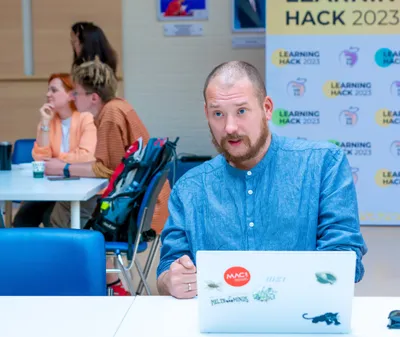
Trainer
Founder of EdUnit, HSE University graduate (philosophy). Speaker at 10+ conferences on AI and education. Ex-Director of Educational Intensives at University 20.35, worked with 75+ universities. Conducts AI literacy trainings for business, educators, and individuals. Built AI pipelines for NEAH.
30 minutes before the training, we help register free accounts. For corporate groups — we collect participants' tasks in advance.
First prompt — in the first 10 minutes. Tool overview, task templates, answer verification, safety rules. Everyone solves their own tasks.
Presentation with tool tips, Q&A chat. For corporate clients — recommendations for safe AI use in work processes.
Private session for your team. Participant tasks collected in advance — practice on your company's real cases.
Training in Russian. Participants from different CIS companies. Networking and cross-industry experience sharing.
Prices are indicative. Final cost confirmed in contract.
Copy, visuals, and video with AI — in hours instead of days. ChatGPT, Midjourney, Runway, Canva AI hands-on. Two 2-hour sessions. Content plan in one session. Discuss.
Critical thinking training: 8 cognitive biases, 9 argumentation errors, AI for fact-checking. 6 hours of practice on business cases.
Most faculty use AI to reproduce old practices — but they need to build new ones. 4-hour hands-on training: ChatGPT, NotebookLM, Perplexity for lesson prep and restructuring assessment. Founder's track record: 75+ universities via University 20.35.